
Log usage at the kiosk
Name-picker and PIN login, with per-department product usage entry.
Clean Assist gives departments a simple way to record consumable usage. Supervisors verify the entries and reconcile on-hand stock. The software prepares a reorder draft on your schedule; a person reviews it and forwards it to the supplier.
Discuss Clean AssistWindows · local application · SQLite
One-time product license; no per-seat fee. Final build or installer only; product source code is not included.
AI-assisted development. No embedded language model.
Original product screenshots.
Explore the workflow.
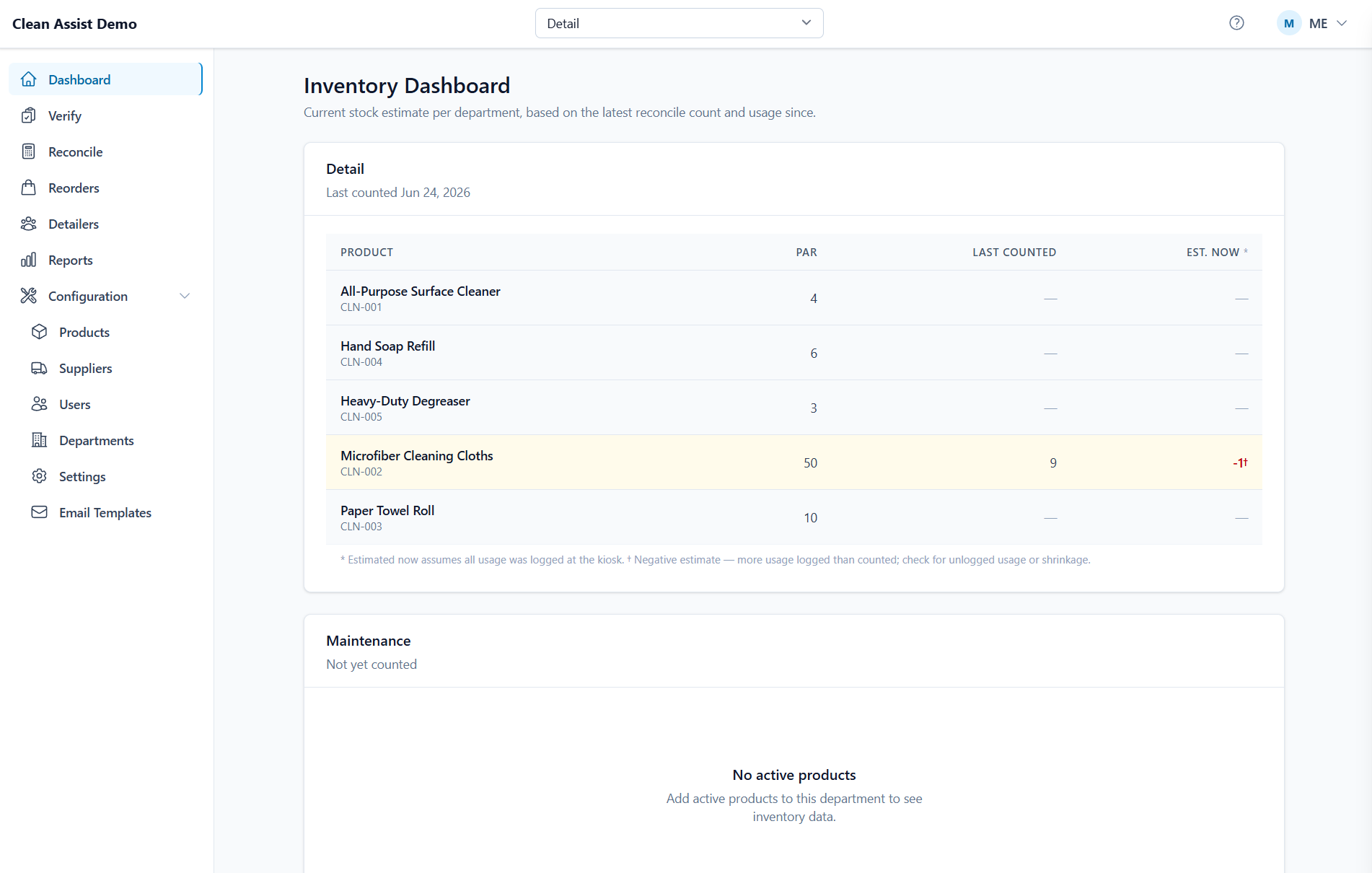
Inventory dashboard — estimated stock vs. par, per department
01 / 03When supplies are tracked reactively, a shortage often becomes the reminder to reorder. Clean Assist replaces that scramble with usage records, periodic counts, and a repeatable reorder workflow.
Name-picker and PIN login, with per-department product usage entry.
Supervisors review and approve operator entries.
Periodic count sessions correct drift between logged usage and actual on-hand quantities.
Scheduled drafts use usage velocity and reconciliation history. Internal reviewers receive a notification; orders are not sent automatically.
Configure labels by install and department, with before/after audit records of changes.
A Windows installer bundles the Node runtime and Windows service. One SQLite database file, one site.
Per-department usage logging, stock reconciliation, and supplier-ready reorder drafts on the dealership's own Windows hardware.
Tell us what you need to run. We’ll start with the scope, not a subscription.
See if this fits your business